Digitaalne tarne
Kui teie makse on kinnitatud, saadetakse digitaalne kood tellimuse vormistamisel märgitud e-posti aadressile.
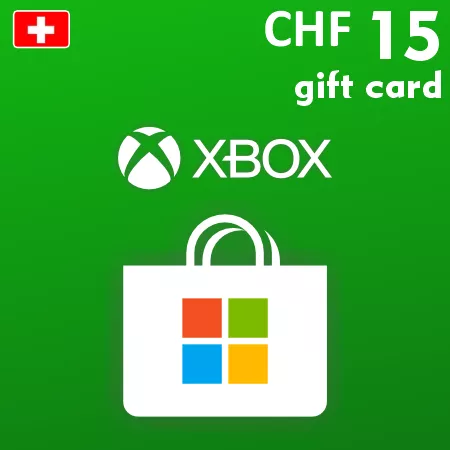
Xboxi Kinkekaart 15 CHF – Šveitsi Digitaalne Kood
Digitaalne tarne
Kui teie makse on kinnitatud, saadetakse digitaalne kood tellimuse vormistamisel märgitud e-posti aadressile.
 Digital Key
 EU region
Lisa 15 CHF Šveitsi Microsofti kontole
Xboxi kinkekaart 15 CHF on selle kategooria väiksem saldo täiendamine. Kasutage digitaalkoodi sobival Šveitsi Microsofti kontol, et lisada täis 15-frangi väärtus kvalifitseeruvatele poeeostudele.
See nominaal sobib madalama maksumusega digitaalsele esemele, lisandile või juba kontol olevale krediidile. Olenedes praegusest saadavusest, võivad kvalifitseeruvad kasutusvalikud hõlmata mänge, allalaaditavat sisu, mängusiseseid esemeid, rakendusi ja Xboxiga seotud tellimusi. Microsoft kontrollib katalooge, hindasid ja aktsepteeritavaid makseviise.
Šveitsi konto vajalik
See CHF kood peab vastama saava Microsofti konto riigile ja valuutale. See ei ole mõeldud Saksamaa, Austria, Prantsusmaa, Itaalia või muu piirkondliku poe jaoks. Konto keel ei mõjuta ühilduvust ning lunastatud vahendeid ei saa konverteerida ega üle kanda.
Digitaalkoodi kohaletoimetamine
Pärast makse kinnitamist saadetakse 25-märgiline kood e-posti aadressile, mis sisestati kassas. Logige sisse soovitud Šveitsi kontole ja veenduge, et Microsoft näitab 15 CHF enne kinnitamist. Füüsilist kaarti ega eelnevalt määratud mängu ei kaasata.
How to Redeem a Switzerland Xbox Gift Card
Before activation, sign in to the Microsoft account that should receive the balance and confirm that its country or region is Switzerland. Check the existing account balance so the redemption does not exceed Microsoft’s current limits.
Redeem the Code Online
- Go to redeem.microsoft.com.
- Sign in to the intended Switzerland Microsoft account.
- Enter or paste the 25-character code from the order email.
- Select Next.
- Check that Microsoft displays the expected CHF value.
- Confirm the redemption only if the account and value are correct.
After successful redemption, the full gift-card value is added to the account balance. It can then be used for eligible purchases through participating Microsoft digital stores.
If the Code Is Not Accepted
- Check every character and remove spaces copied before or after the code.
- Confirm that the account country or region is Switzerland.
- Make sure you are signed in to the account that should receive the funds.
- Review the balance and order history in case the code was already applied.
- Check whether the 3,000 CHF balance ceiling or another Microsoft limit has been reached.
- Keep the exact error message when contacting support.
Do not use a VPN or temporary region change as a workaround. Redeemed CHF balance cannot be converted into another currency or transferred to another Microsoft account.