Dijital teslimat
Ödemeniz onaylandıktan sonra dijital kodunuz, ödeme sırasında belirttiğiniz e-posta adresine gönderilecektir.
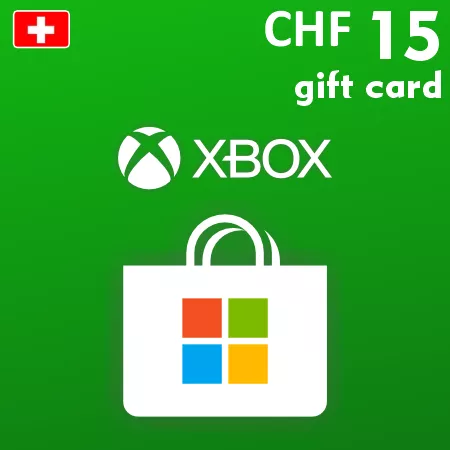
Xbox Hediye Kartı 15 CHF – Ä°sviçre Dijital Kodu
Dijital teslimat
Ödemeniz onaylandıktan sonra dijital kodunuz, ödeme sırasında belirttiğiniz e-posta adresine gönderilecektir.
 Digital Key
 EU region
İsviçre Microsoft Hesabına 15 CHF Ekle
Xbox Hediye Kartı 15 CHF, bu kategorideki daha küçük bakiye yüklemesidir. Bu dijital kodu, uygun bir İsviçre Microsoft hesabında aktifleştirerek, nitelikli Mağaza alımları için toplam 15 frank değerini ekleyin.
Bu tutar, daha düşük maliyetli bir dijital nesne, bir eklenti veya hesapta zaten bulunan krediyi tamamlamak için uygun olabilir. Mevcut duruma bağlı olarak, uygun kullanım alanları arasında oyunlar, indirilebilir içerikler, oyun içi öğeler, uygulamalar ve Xbox ile ilgili abonelikler yer alabilir. Microsoft, katalog, fiyatlar ve kabul edilen ödeme seçeneklerini kontrol etmektedir.
İsviçre Hesabı Gerekli
Bu CHF kodu, alıcı Microsoft hesabının ülke ve para birimi ile eşleşmelidir. Almanya, Avusturya, Fransa, İtalya veya başka bir bölgesel Mağaza için tasarlanmamıştır. Hesap dili uyumluluğu etkilemez ve aktifleştirilen fonlar dönüştürülemez veya transfer edilemez.
Dijital Kod Teslimatı
Ödeme onayından sonra, 25 karakterden oluşan kod, ödeme sırasında belirtilen e-posta adresine gönderilir. İlgili İsviçre hesabına giriş yapın ve onaylamadan önce Microsoft'un 15 CHF gösterdiğini doğrulayın. Fiziksel bir kart veya önceden belirlenmiş bir oyun dahil değildir.
How to Redeem a Switzerland Xbox Gift Card
Before activation, sign in to the Microsoft account that should receive the balance and confirm that its country or region is Switzerland. Check the existing account balance so the redemption does not exceed Microsoft’s current limits.
Redeem the Code Online
- Go to redeem.microsoft.com.
- Sign in to the intended Switzerland Microsoft account.
- Enter or paste the 25-character code from the order email.
- Select Next.
- Check that Microsoft displays the expected CHF value.
- Confirm the redemption only if the account and value are correct.
After successful redemption, the full gift-card value is added to the account balance. It can then be used for eligible purchases through participating Microsoft digital stores.
If the Code Is Not Accepted
- Check every character and remove spaces copied before or after the code.
- Confirm that the account country or region is Switzerland.
- Make sure you are signed in to the account that should receive the funds.
- Review the balance and order history in case the code was already applied.
- Check whether the 3,000 CHF balance ceiling or another Microsoft limit has been reached.
- Keep the exact error message when contacting support.
Do not use a VPN or temporary region change as a workaround. Redeemed CHF balance cannot be converted into another currency or transferred to another Microsoft account.