Digital Delivery
Once your payment has been confirmed, your digital code will be sent to the email address provided at checkout.
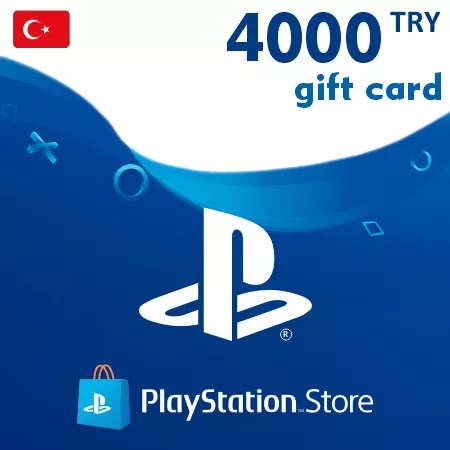
PlayStation Gift Card 4000 TRY (Turkey)
Digital Delivery
Once your payment has been confirmed, your digital code will be sent to the email address provided at checkout.
 PSN
500 TRY
out of stock
750 TRY
out of stock
1000 TRY
out of stock
1500 TRY
out of stock
2000 TRY
out of stock
2500 TRY
out of stock
3000 TRY
out of stock
4000 TRY
out of stock
5000 TRY
out of stock
PSN
500 TRY
out of stock
750 TRY
out of stock
1000 TRY
out of stock
1500 TRY
out of stock
2000 TRY
out of stock
2500 TRY
out of stock
3000 TRY
out of stock
4000 TRY
out of stock
5000 TRY
out of stock
 Digital Key
 TR region
Load 4000 TRY onto a Turkey PlayStation Wallet
Use the PlayStation Gift Card 4000 TRY to add 4000 Turkish lira of prepaid credit to a compatible PlayStation wallet. The voucher is issued digitally and is valid only for an account whose country or region is Turkey.
The 4000 TRY denomination is designed for a larger wallet top-up. It may suit a higher-value order, several games and add-ons or credit reserved for future eligible Store purchases. Since PlayStation Store prices and offers can change, review your planned purchases and current wallet balance before selecting this amount.
After redemption, the account holder can use the funds toward eligible digital PS5 and PS4 games, expansions, virtual currency, pre-orders and PlayStation Plus memberships. Wallet credit cannot be used for consoles, accessories or other physical goods.
Region Check Is Essential
Turkey gift cards do not work on PlayStation accounts registered elsewhere. The account region is chosen at creation and cannot be changed later, so verify it before ordering. Also make sure you are signed in to the intended account, because redeemed funds cannot be transferred.
Digital Voucher by Email
The 12-digit code is sent to the checkout email address after payment confirmation. Check that address for accuracy and keep the code private until redemption. Each voucher can be used only once.
This product is delivered digitally; there is no physical card.
How to Redeem a PSN Turkey Gift Card
Before redeeming, make sure you are signed in to the intended PlayStation account. The account country or region must be Turkey. PlayStation does not allow the account region to be changed after creation, and wallet funds cannot be transferred to another account.
Redeem in a Web Browser
- Sign in to PlayStation Store.
- Select your profile at the top of the screen.
- Choose Redeem Code from the menu.
- Enter the 12-digit voucher code carefully.
- Select Continue and confirm the redemption.
Redeem on a PS5 Console
- Open PlayStation Store.
- Press the triangle button to open the menu.
- Select More (...), then Redeem Code.
- Enter the 12-digit code and confirm.
Redeem on a PS4 Console
- Open PlayStation Store.
- Scroll to the bottom of the sidebar.
- Select Redeem Codes.
- Enter the 12-digit code, then select Continue and confirm.
Redeem in PlayStation App
- Open PlayStation App and select the PlayStation Store icon.
- Open the menu on the right side of the screen.
- Select Redeem Code.
- Enter the 12-digit code and select Continue.
The wallet credit should appear on the account after a successful redemption.
If the Code Is Not Accepted
- Confirm that the account country or region is Turkey.
- Check every digit and enter the code without extra spaces.
- Make sure you are signed in to the account that should receive the funds.
- Check the account transaction history to see whether the code has already been redeemed.
- Do not try to redeem the code on another regional Store.
For a child account, PlayStation instructs users to redeem wallet top-up vouchers on the family manager’s account. The family manager can then set a monthly spending limit for the child.