Digital Delivery
Once your payment has been confirmed, your digital code will be sent to the email address provided at checkout.
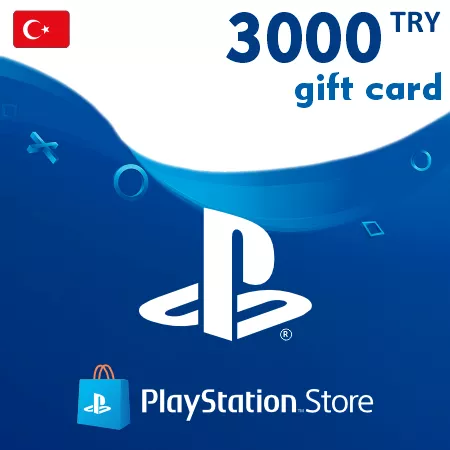
PlayStation Gift Card 3000 TRY (Turkey)
Digital Delivery
Once your payment has been confirmed, your digital code will be sent to the email address provided at checkout.
 PSN
500 TRY
out of stock
750 TRY
out of stock
1000 TRY
out of stock
1500 TRY
out of stock
2000 TRY
out of stock
2500 TRY
out of stock
3000 TRY
out of stock
4000 TRY
out of stock
5000 TRY
out of stock
PSN
500 TRY
out of stock
750 TRY
out of stock
1000 TRY
out of stock
1500 TRY
out of stock
2000 TRY
out of stock
2500 TRY
out of stock
3000 TRY
out of stock
4000 TRY
out of stock
5000 TRY
out of stock
 Digital Key
 TR region
Add 3000 TRY for Planned PlayStation Store Spending
The PlayStation Gift Card 3000 TRY converts into 3000 Turkish lira of wallet credit when redeemed on an eligible PlayStation account. It is a digital Turkey-region voucher, not a game key tied to one title.
This value is suited to customers preparing for a substantial Store purchase or several planned digital purchases. Using one 3000 TRY code can be more straightforward than ordering multiple smaller denominations. Before checkout, compare the value with the account’s current wallet balance and the live price of the intended items.
The wallet credit can be used for eligible PS5 and PS4 games, add-ons, expansions, in-game currency, pre-orders and PlayStation Plus plans offered to the account. Content availability and pricing may change, and PlayStation’s account and subscription terms apply.
Account and Code Must Match
Only a PlayStation account registered in Turkey can redeem this code. A Turkey voucher will fail on an account from another country, and an existing PlayStation account cannot be converted to a different region.
Receive the Code by Email
After your payment is confirmed, the 12-digit voucher code is delivered to the email address used for the order. Review the address carefully and redeem the code on the intended account. Each voucher is single-use, and the resulting wallet balance cannot be transferred.
No physical card is sent.
How to Redeem a PSN Turkey Gift Card
Before redeeming, make sure you are signed in to the intended PlayStation account. The account country or region must be Turkey. PlayStation does not allow the account region to be changed after creation, and wallet funds cannot be transferred to another account.
Redeem in a Web Browser
- Sign in to PlayStation Store.
- Select your profile at the top of the screen.
- Choose Redeem Code from the menu.
- Enter the 12-digit voucher code carefully.
- Select Continue and confirm the redemption.
Redeem on a PS5 Console
- Open PlayStation Store.
- Press the triangle button to open the menu.
- Select More (...), then Redeem Code.
- Enter the 12-digit code and confirm.
Redeem on a PS4 Console
- Open PlayStation Store.
- Scroll to the bottom of the sidebar.
- Select Redeem Codes.
- Enter the 12-digit code, then select Continue and confirm.
Redeem in PlayStation App
- Open PlayStation App and select the PlayStation Store icon.
- Open the menu on the right side of the screen.
- Select Redeem Code.
- Enter the 12-digit code and select Continue.
The wallet credit should appear on the account after a successful redemption.
If the Code Is Not Accepted
- Confirm that the account country or region is Turkey.
- Check every digit and enter the code without extra spaces.
- Make sure you are signed in to the account that should receive the funds.
- Check the account transaction history to see whether the code has already been redeemed.
- Do not try to redeem the code on another regional Store.
For a child account, PlayStation instructs users to redeem wallet top-up vouchers on the family manager’s account. The family manager can then set a monthly spending limit for the child.