Digitālā piegāde
Kad maksājums būs apstiprināts, digitālais kods tiks nosūtīts uz pasūtījuma noformēšanas laikā norādīto e-pasta adresi.
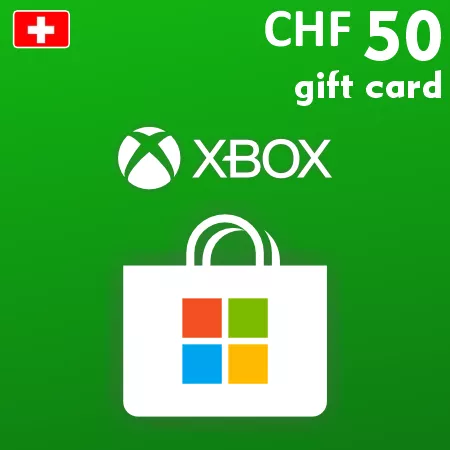
Xbox DÄvanu Karte 50 CHF – Šveices DigitÄlais Kods
Digitālā piegāde
Kad maksājums būs apstiprināts, digitālais kods tiks nosūtīts uz pasūtījuma noformēšanas laikā norādīto e-pasta adresi.
 Digital Key
 EU region
Pievienot 50 CHF elastīgu Microsoft Store kredītu
Xbox dāvanu karte 50 CHF pievieno 50 Šveices frankus saderīgam Microsoft kontam Šveicē vienā izsniegšanā. Tas ir lielākais nomināls, kas pašlaik ir pieejams šajā kategorijā, un nodrošina elastīgu veikala bilanci, nevis konkrētu spēli vai abonementu.
Šī vērtība var būt piemērota dārgāka pirkuma veikšanai, vairāku digitālo preci iegādei vai saņēmējam, kurš īpaši vēlas saglabāt vairāk konta kredīta. Salīdziniet nominālu ar reālo veikala cenu un esošo bilanci, pirms pasūtīšanas. Piemērotas izmantošanas iespējas var ietvert spēles, papildinājumus, saturu spēlēs, lietotnes un Xbox saistītos abonementus, pamatojoties uz Microsoft noteikumiem un reģionālo pieejamību.
Reģionālā saderība un bilances limits
Kods jāizmanto Microsoft kontā, kas reģistrēts Šveicē. Microsoft pašlaik uzskaita 3000 CHF kā maksimālo uzkrāto bilanci Šveices kontam. Pievienotie līdzekļi nevar tikt pārvietoti uz citu kontu vai pārvērsti eiro vai citā valūtā.
Aizsargājiet digitālo kodu
25 rakstzīmju kods tiek nosūtīts pa e-pastu pēc maksājuma apstiprinājuma. Glabājiet to privāti un pārbaudiet norādīto 50 CHF vērtību un saņemošo kontu, pirms pabeidzat izsniegšanu. Fiziska dāvanu karte netiks nosūtīta.
How to Redeem a Switzerland Xbox Gift Card
Before activation, sign in to the Microsoft account that should receive the balance and confirm that its country or region is Switzerland. Check the existing account balance so the redemption does not exceed Microsoft’s current limits.
Redeem the Code Online
- Go to redeem.microsoft.com.
- Sign in to the intended Switzerland Microsoft account.
- Enter or paste the 25-character code from the order email.
- Select Next.
- Check that Microsoft displays the expected CHF value.
- Confirm the redemption only if the account and value are correct.
After successful redemption, the full gift-card value is added to the account balance. It can then be used for eligible purchases through participating Microsoft digital stores.
If the Code Is Not Accepted
- Check every character and remove spaces copied before or after the code.
- Confirm that the account country or region is Switzerland.
- Make sure you are signed in to the account that should receive the funds.
- Review the balance and order history in case the code was already applied.
- Check whether the 3,000 CHF balance ceiling or another Microsoft limit has been reached.
- Keep the exact error message when contacting support.
Do not use a VPN or temporary region change as a workaround. Redeemed CHF balance cannot be converted into another currency or transferred to another Microsoft account.