Digitale Lieferung
Sobald Ihre Zahlung bestätigt wurde, wird Ihr digitaler Code an die beim Bezahlvorgang angegebene E-Mail-Adresse gesendet.
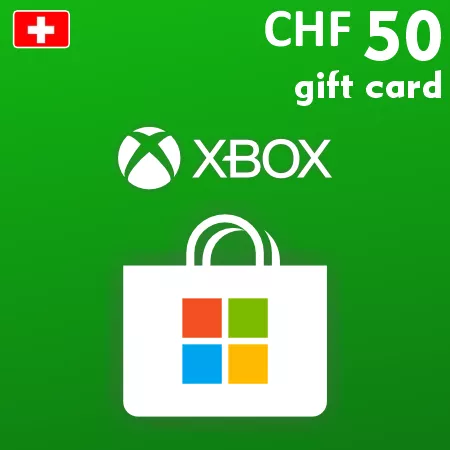
Xbox-Geschenkkarte 50 CHF – Schweiz Digitaler Code
Digitale Lieferung
Sobald Ihre Zahlung bestätigt wurde, wird Ihr digitaler Code an die beim Bezahlvorgang angegebene E-Mail-Adresse gesendet.
 Digital Key
 EU region
Fügen Sie 50 CHF flexibles Microsoft Store-Guthaben hinzu
Die Xbox Geschenkkarte über 50 CHF fügt einem kompatiblen Microsoft-Konto in der Schweiz in einer Einlösung 50 Schweizer Franken hinzu. Es handelt sich um den aktuell größten Nennwert in dieser Kategorie und bietet ein flexibles Store-Guthaben, anstatt für ein bestimmtes Spiel oder Abonnement verwendet zu werden.
Dieser Betrag kann für einen höherpreisigen Kauf, mehrere digitale Artikel oder einen Empfänger geeignet sein, der absichtlich mehr Guthaben auf dem Konto behalten möchte. Vergleichen Sie den Nennwert mit dem aktuellen Store-Preis und dem bestehenden Guthaben, bevor Sie eine Bestellung aufgeben. Zulässige Verwendungen können Spiele, Add-Ons, In-Game-Inhalte, Apps und Xbox-bezogene Abonnements umfassen, vorbehaltlich der Bedingungen von Microsoft und der regionalen Verfügbarkeit.
Regionale Kompatibilität und Guthabenlimit
Der Code muss auf einem Microsoft-Konto eingelöst werden, das in der Schweiz registriert ist. Microsoft listet derzeit 3.000 CHF als maximales Guthaben für ein Schweizer Konto. Sobald es hinzugefügt wurde, können die Mittel nicht auf ein anderes Konto übertragen oder in Euro oder eine andere Währung umgewandelt werden.
Schützen Sie den digitalen Code
Der 25-Zeichen-Code wird nach der Zahlungsbestätigung per E-Mail gesendet. Halten Sie ihn privat und überprüfen Sie den angezeigten Wert von 50 CHF sowie das empfangende Konto, bevor Sie die Einlösung abschließen. Es wird keine physische Geschenkkarte versendet.
How to Redeem a Switzerland Xbox Gift Card
Before activation, sign in to the Microsoft account that should receive the balance and confirm that its country or region is Switzerland. Check the existing account balance so the redemption does not exceed Microsoft’s current limits.
Redeem the Code Online
- Go to redeem.microsoft.com.
- Sign in to the intended Switzerland Microsoft account.
- Enter or paste the 25-character code from the order email.
- Select Next.
- Check that Microsoft displays the expected CHF value.
- Confirm the redemption only if the account and value are correct.
After successful redemption, the full gift-card value is added to the account balance. It can then be used for eligible purchases through participating Microsoft digital stores.
If the Code Is Not Accepted
- Check every character and remove spaces copied before or after the code.
- Confirm that the account country or region is Switzerland.
- Make sure you are signed in to the account that should receive the funds.
- Review the balance and order history in case the code was already applied.
- Check whether the 3,000 CHF balance ceiling or another Microsoft limit has been reached.
- Keep the exact error message when contacting support.
Do not use a VPN or temporary region change as a workaround. Redeemed CHF balance cannot be converted into another currency or transferred to another Microsoft account.