Digital Delivery
Once your payment has been confirmed, your digital code will be sent to the email address provided at checkout.
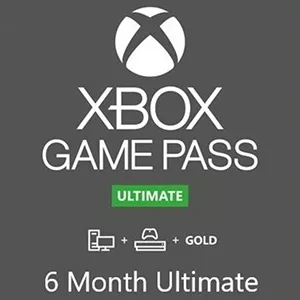
Xbox Game Pass Ultimate 6 Month - Europe Key (Xbox / Windows)
 Digital Key
 EU region
Buy Xbox Game Pass Ultimate – 6 Month Subscription (Xbox One/ Windows 10) Xbox Live Key Europe
Embark on a world of unlimited gaming possibilities with the Xbox Game Pass Ultimate – 6 Month Subscription. Designed for avid gamers, this subscription provides you with access to a vast library of over 100 high-quality games for Xbox One and Windows 10. With constant updates and new titles added frequently, you'll never run out of exciting games to try. Whether you're into action-packed adventures, strategic thrills, or captivating stories, this subscription has something for everyone.
Features of Xbox Game Pass Ultimate – 6 Month Subscription
- Access to over 100 high-quality games on Xbox One & Windows 10
- Includes Xbox Live Gold for multiplayer gaming
- Enjoy exclusive member discounts and deals
- Continuously updated game library with new titles every month
- Play on the console and PC for a seamless gaming experience
How to Activate Your Xbox Game Pass Ultimate – 6 Month Subscription
- Ensure your Xbox One or Windows 10 device is connected to the internet.
- Log in to your Xbox Live account on your console or PC.
- Navigate to the Microsoft Store and select “Redeem Code.”
- Enter the provided Xbox Live Key for the 6-month subscription.
- Follow the prompts to activate your subscription.
- Once activated, explore the extensive game library and start playing!
Explore Other Denominations
If you're looking for different subscription lengths, consider the Xbox Game Pass Ultimate – 3 Month Subscription to fit your immediate gaming needs. For those seeking extended gameplay, the Xbox Game Pass Ultimate – 12 Month Subscription offers a year-long access to enjoy all the benefits without interruption.
Why Choose Xbox Game Pass Ultimate?
Buy Xbox Game Pass Ultimate – 6 Month Subscription today and immerse yourself in the ultimate gaming experience. With the combination of Xbox One and Windows 10 compatibility, multiplayer connectivity through Xbox Live Gold, and a constantly evolving game library, this is a must-have for any gaming enthusiast. Don't miss out on the chance to elevate your gaming with this comprehensive subscription.