Digital Delivery
Once your payment has been confirmed, your digital code will be sent to the email address provided at checkout.
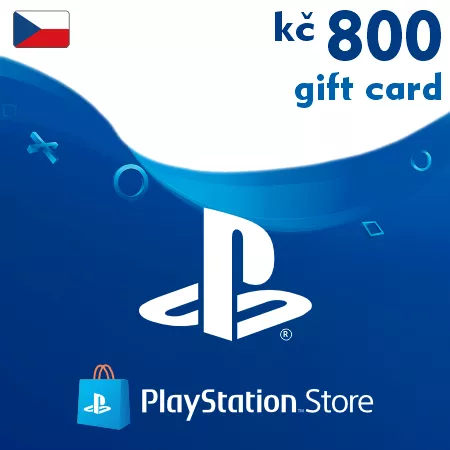
PSN Card 800 CZK (Czech Republic) – PlayStation Gift Card
Digital Delivery
Once your payment has been confirmed, your digital code will be sent to the email address provided at checkout.

 Digital Key
 EU region
PSN Card 800 CZK Czech Republic – Flexible Gaming Credit
This 800 CZK PlayStation gift card is a digital wallet code for Czech PlayStation accounts. It provides a flexible balance for players who want more than a small top-up but do not need a maximum denomination.
Useful for Mixed Digital Purchases
The 800 CZK value works well for combining several purchases, including games, add-ons, subscriptions, and promotional PlayStation Store offers.
Use Your 800 CZK Balance For
- Digital PlayStation games
- Expansion packs and DLC bundles
- PlayStation Plus purchases
- In-game currency and premium items
- Seasonal PlayStation Store deals
Why Choose This Denomination?
800 CZK gives Czech PSN users a useful middle-range balance that can cover multiple smaller purchases or contribute toward a larger digital order.
Email Code Delivery
The code is sent to your email after successful payment. Most orders are processed automatically, so the code is usually ready to redeem within moments.
Czech Republic Region Compatibility
Important: this PlayStation gift card is compatible only with accounts registered in the Czech Republic.
Please check your PSN account region before purchasing.
Frequently Asked Questions
Can wallet funds be used during PS Store sales?
Yes, the balance can be used for eligible discounted games and offers.
Is this product delivered physically?
No, this is a digital code delivered electronically.
Can I redeem multiple PSN cards on one account?
Yes, several wallet codes can be activated on the same PlayStation account.
How to Redeem a Czech PSN Gift Card
- Sign in to your PlayStation account
- Open the PlayStation Store
- Select Redeem Codes
- Enter your PSN code
- Confirm activation and the balance will be added to your wallet
Important: this code can only be redeemed on PlayStation accounts registered in the Czech Republic.
You can activate your code through your PlayStation console or via the official PlayStation Store website.