Digital Delivery
Once your payment has been confirmed, your digital code will be sent to the email address provided at checkout.
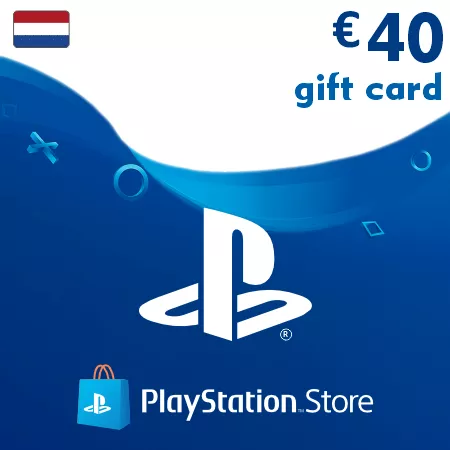
PSN Card 40 EUR (Netherlands) – PlayStation Gift Card
Digital Delivery
Once your payment has been confirmed, your digital code will be sent to the email address provided at checkout.

 Digital Key
PSN Card 40 EUR Netherlands – Fast PSN Top-Up
This 40 EUR PlayStation gift card is a digital code for Dutch PlayStation accounts. It provides a strong wallet balance for games, PlayStation Plus, DLC packs, in-game content, and other PlayStation Store purchases.
Useful for Games, Bundles, and Subscriptions
The 40 EUR value works well for players who want more flexibility than smaller top-ups, especially for discounted games, subscription payments, add-on bundles, or multiple store purchases.
Use Your 40 EUR Balance For
- Digital PlayStation games
- PlayStation Plus subscriptions and renewals
- DLC packs and expansion content
- In-game currency and premium extras
- Digital bundles and seasonal offers
Fast Online Delivery
Your PlayStation wallet code is sent electronically after payment confirmation. Most digital orders are processed automatically and delivered directly to your email address.
Dutch PSN Account Required
Important: this PlayStation gift card can only be redeemed on PlayStation accounts registered in the Netherlands.
Please confirm your account region before buying, as Dutch PSN codes cannot be activated on accounts from other countries.
Frequently Asked Questions
Can this balance be used for games and subscriptions?
Yes, wallet funds can be used for eligible games, PlayStation Plus, DLCs, and other PlayStation Store content.
How fast is delivery?
Most PSN wallet codes are delivered automatically after successful payment confirmation.
Can multiple PSN cards be used on one account?
Yes, several wallet codes can be redeemed on the same Dutch PlayStation account.
How to Redeem a Netherlands PSN Code
- Sign in to the PlayStation account where you want to add the EUR wallet balance
- Make sure the account region is set to Netherlands
- Open the PlayStation Store on your console or in a web browser
- Select the option to redeem a code
- Enter the PSN code exactly as delivered
- Confirm the activation to add the funds to your wallet
Region notice: Netherlands PSN codes are region-locked and can only be activated on PlayStation accounts registered in the Netherlands.
Once redeemed, the wallet balance can be used for eligible games, add-ons, subscriptions, and other digital content in the Dutch PlayStation Store.