Digital Delivery
Once your payment has been confirmed, your digital code will be sent to the email address provided at checkout.
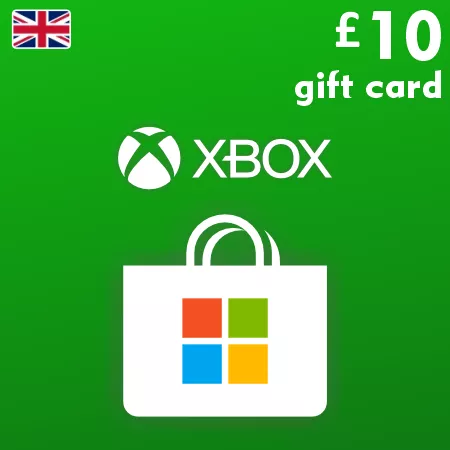
Xbox Live Gift Card 10 GBP - Xbox Key United Kingdom
 Digital Key
Buy Xbox Live Gift Card 10 GBP Xbox Live Key United Kingdom
Unlock a world of entertainment, games, and exclusive content with the Xbox Live Gift Card 10 GBP. Whether you're purchasing new games, apps, or in-game content, this gift card is the perfect gateway to seamless spending in the vast Xbox ecosystem. Ideal for gamers of all levels, the Xbox Live Gift Card provides flexibility and convenience, making it a great choice for gifts or personal indulgence.
Why Choose the Xbox Live Gift Card 10 GBP?
- Convenient & Flexible Use: Redeem the gift card to purchase games, movies, TV shows, and more from the Xbox Store.
- Great as a Gift: Perfect for birthdays, holidays, or any special occasion for the gamer in your life.
- No Expiration Date: Your funds are always available without the worry of hitting an expiration date.
How to Activate Your Xbox Live Gift Card 10 GBP
- Ensure you are signed-in to your Microsoft account on your Xbox console or on a web browser.
- Navigate to the Microsoft Store on your Xbox console or to the Redeem page on the official website.
- Enter the 25-character code included with your gift card and press Redeem.
- Once the code is validated, your account will be credited with 10 GBP to use as you please.
- Enjoy shopping for games, add-ons, subscriptions, and more!
Explore Other Denominations
If you're looking for different amounts to suit your needs, consider the Xbox Live Gift Card 5 GBP or the Xbox Live Gift Card 15 GBP options. These complement the 10 GBP card, giving you flexibility to find the perfect denomination for any situation.
Experience the Best of Xbox Live
From blockbuster games to exclusive deals, Xbox Live offers an extensive catalog to explore. Leverage your Xbox Live Gift Card 10 GBP for an enhanced gaming experience, and discover new adventures with each purchase. Start shopping today and join millions of gamers in the Xbox community.